

device overview
This block is part of the state ui group and was last modified in core v15.0.0.
device overview v15.0.0 A ready-made overview of every device home automation knows about: grouped by room or adapter, with live capability readings, sparklines from the analytics store, and the devices that are discovered but not yet adopted. Renders from standard components, so it can be styled and taken apart like anything else.
- title
v15.0.0valueThe heading above the overview. Defaults to the room or adapter being filtered on, and to "Home" when neither is set : a filtered overview titled "Home" describes itself wrongly.
- group by
v15.0.0valueHow to section the cards: "room" (default), "adapter", or "none" for one flat grid of every device, alphabetical.
- summarise
v15.0.0conditionDraw one card per group instead of one per device: the group's name, how many devices are in it, and the aggregates that mean something for a group : mean temperature and humidity, total power, the lowest battery, and how many switchable things are on. Off by default.
- adapter
v15.0.0valueShow only devices from this adapter. Empty shows all.
- room
v15.0.0valueShow only devices in this room. Empty shows all.
- show discovered
v15.0.0conditionInclude devices that have been discovered but not adopted. On by default: with auto_adopt off, a device that is visible but not yet in service is exactly what the operator needs to see.
- show graphs
v15.0.0conditionDraw a sparkline for numeric capabilities from the analytics store. Silently omitted on a node with no analytics store.
- show camera views
v15.0.0conditionPut a still frame on the card of every camera that can produce one. It is a still taken when the page loads, not a stream : nothing refreshes it : and the browser fetches each one lazily, so cameras nobody scrolls to cost nothing. Omitted for adapters with no camera behind them.
- graph hours
v15.0.0numberHow many hours of history each sparkline covers.
- class
v15.0.0uiclassAssigns a CSS class to the outer element. • Hidden when unused
- style
v15.0.0uistyleApplies inline CSS style to the outer element. • Hidden when unused
- state
stateThe overview, as components, for state_render_page's content pin.
- devices
v15.0.0arrayThe devices the overview drew, so a flow can count or filter them without asking twice.
- adapters
v15.0.0arrayAdapter status: name, connected, device count.
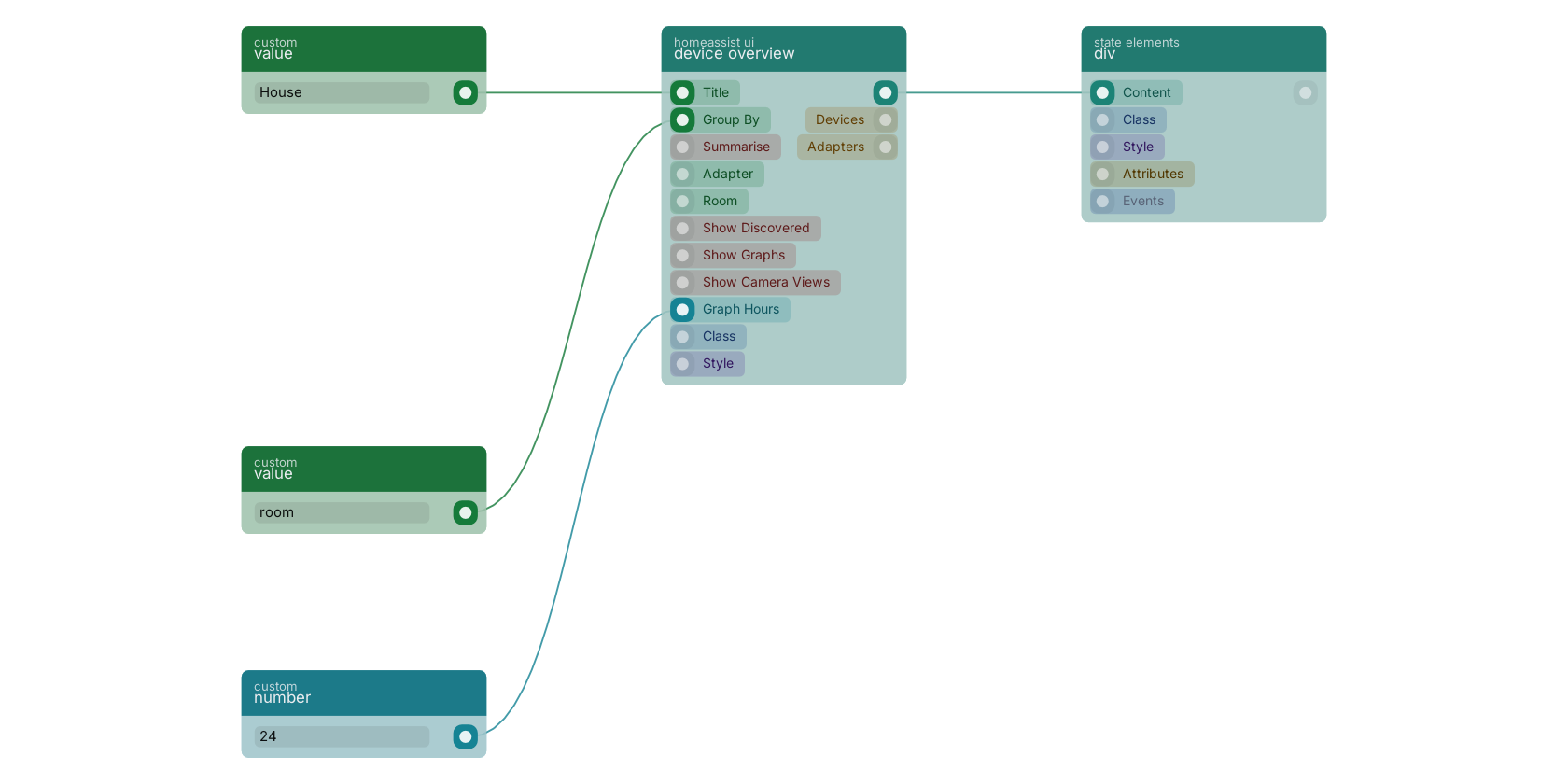
device overview renders every adopted device grouped the way you ask, and it is the fastest way to get a working home automation screen: one block, no per-device wiring. Its devices and adapters out pins carry the same data as arrays, so the page can render the built-in overview inside a div and still drive its own counters from the numbers behind it.
Version history
Introduced in v15.0.0.
Back to
state ui Return to the main group to view all sub-groups Back to homeassist ui Return to the group to view all blocks within this group